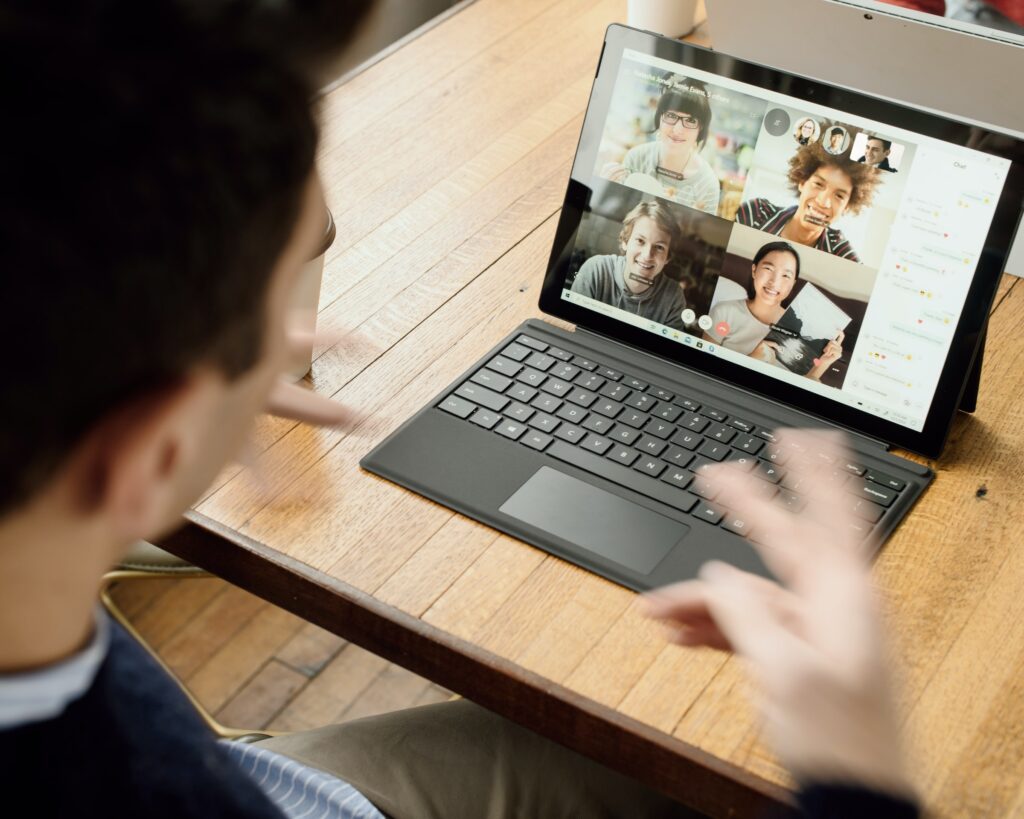
We have now had more experience with synchronous online at Conestoga. We are getting so good at using virtual classrooms and all the features we need to help students learn. But, having an entire class with most students with their cameras off can be exhausting. It may tempt you to turn your own camera off, but please consider the following.
Why should you keep your camera on when teaching?
It is important for you to have your cameras on for most of a virtual class meeting, as many students benefit from the energy and emphasis that facial expressions and movement can provide while someone is delivering information. Of course, you may need to turn your camera off if something is happening at home, to refresh or just for variety. You can say something such as, “I am going to turn my camera off for five minutes while I ask you to focus on this visual and just listen.”
Alignment with Universal Design for Learning (UDL)
Faculty visibility during class supports multiple means of representation and engagement, aligning with CAST’s UDL Guidelines. Faculty presence on camera enhances student perception of engagement and clarity.
Facial Expressions From You
Some disabilities impact social-emotional processing, and students may have been taught how to use reading facial expressions as a cue to understanding what is being communicated and why. As discussed in Matsuda, Omori, McCleery & Yamamoto (2019) “human facial expressions provide critical social cues and shape behaviors that allow individuals to adapt to social communities. Evidence has suggested that facial expressions serve as the antecedents for various types of social behaviors.”
For a great read on this topic, see also our Library’s eBook Facial Expressions : Dynamic Patterns, Impairments and Social Perceptions, and consider that “people are adept at reading fleeting facial expressions. For example, humans require as little as 38ms to reliably evaluate trustworthiness in an unfamiliar human face.” (Carter & Bailey, 2021). Let’s share our faces with students and work to create a sense of learning from a trusted leader within a community.
Being able to read “speech” or lips can assist students who lipread and all students. Research agrees that “speech-reading is an integral part of speech processing. Hearing people’s perception of speech is influenced by speech-read cues, and those speech-read cues cannot be ignored. (Woodhouse, Hickson, & Dodd, (2009). Think about this. The ability to see your lips move as you speak is part of how humans process. When your camera is on and a student is watching you, they attend to additional cues that help them process your meaning and maintain attention.
Charisma From You
How do you show students your passion for the subject and your care for them? One way is to exude charisma (e.g., above-norm vocal intonation curves, gesturing, and expression plus humour, validation and caring words) and that is much easier to do when you are on camera and your face and gestures are visible.
Findings from Bolkan & Goodboy (2014) suggest that instructors’ charismatic behaviors are associated with students’ perceptions of their learning both directly and indirectly through their association with intrinsic motivation. Intrinsic motivation encourages students to engage in your learning offerings because they bring pleasure regardless of any external rewards.
Cameras and Students
While faculty presence on camera can enhance student engagement and comprehension, it’s also important to recognize that students may not always be able—or comfortable—to do the same. Creating an inclusive learning environment means offering multiple ways for students to participate, whether through chat, reactions, or collaborative tools. Faculty can model this flexibility by inviting occasional webcam use for specific activities, such as greetings, games, or presentations, while respecting students’ privacy and individual circumstances.
Students may have their cameras off for a variety of reasons (e.g., bandwidth issues, physical location issues, household privacy, anxiety, etc.). Students are likely to have their cameras off unless there is a specific reason shared for them to turn them on. Do not try to force students to turn on their cameras or imply that they won’t be successful if they are not visible to you. Please see Conestoga’s expectations and resources for virtual classrooms on MS Teams and privacy.
Short periods of “cameras” on can be encouraged by:
Building in cameras off/cameras on in a class agreement: In co-creating a class agreement with students, discuss and agree when webcams should be on (such as during a presentation), off (such as during a listening activity or when the internet connection is poor), or optional (such as in breakouts). Brainstorm together why turning on a camera can help with attention and support communication.
Attendance and ID Check: “I am going to do a quick roll call and check your images against the photo ID sheet I have each class for the first few weeks as I get to know you. So, I ask you to put your cameras on while I do this. If you can’t, please send me a private message and I will meet you in a break out room at the end of the class session.”
Topic-Specific Energizers: “Everyone take a minute and find something in their vicinity that (insert something field specific and likely there, e.g., made of plastic for an engineering class or related to marketing for a business class), turn your camera on, hold it up, look around at others’ objects and I will explain a bit about how such objects relate to our topic today.”
Learning Theme Backgrounds: “For a short period of time, please turn your camera on if you are able to. Please use your favourite virtual background that resonates with this course’s learning. Each week try to choose a different background to share at the start.”
Hellos, Goodbyes, and Practice Games: Invite students to turn on their webcams to wave “hello” and “goodbye” at the beginning of class (before recording) or at the end of class (after recording). “We are going to play a warm up game before we start our class today. If you are comfortable, please come on camera so that we can see each other while we play.”‘
While faculty visibility on camera can enhance student engagement, it’s important to recognize that students may participate meaningfully even with their cameras off. You can also encourage students to be “present” and engaged through multiple modes of interaction, such as using reaction buttons, chat messages, or collaborative tools like polls and shared documents. You might also invite students to set a courtesy status (e.g., “BRB”) when stepping away or brainstorm together what “being present” looks like in your online class.
What other ideas have worked for you in having more students on camera?
References
Bolkan S, & Goodboy, A.K. (2014). Communicating Charisma in Instructional Settings: Indicators and Effects of Charismatic Teaching. College Teaching. 2014;62(4):136-142.
Carter, S. E., & Bailey, V. T. (2012). Facial Expressions : Dynamic Patterns, Impairments and Social Perceptions. Nova Science Publishers, Inc.
Matsuda, S., Omori, T., McCleery, J. P., & Yamamoto, J. (2019). Comparing Reinforcement Values of Facial Expressions: An Eye-Tracking Study. Psychological Record, 69(3), 393– 400.
Woodhouse, L., Hickson, L., & Dodd, B. (2009). Review of visual speech perception by hearing and hearing-impaired people: clinical implications. International Journal of Language & Communication Disorders, 44(3), 253–270.
Share this Teaching Tip
Kathryn Brillinger
Kathryn is the Director of Teaching and Learning at
Conestoga, bringing more than 30 years of teaching
experience in the Ontario college system, specializing in
English as a Second Language learning, diversity and
intercultural skills. Internationally, she has presented on the
impact of nonverbal cues on communication endeavours, and
solving teaching and intercultural dilemmas. Kathryn holds an
M.Ed., and certificates in TESL and Intercultural Studies.
Contact Kathryn to discuss suggestions regarding potential
programming for Teaching and Learning.